Registering and Logging In
Registering a New Account
To access additional features such as requesting dataset access, following departments, or interacting with private datasets, users must first register on the portal.
-
Click on the Register button available on the top-right corner of the homepage.

-
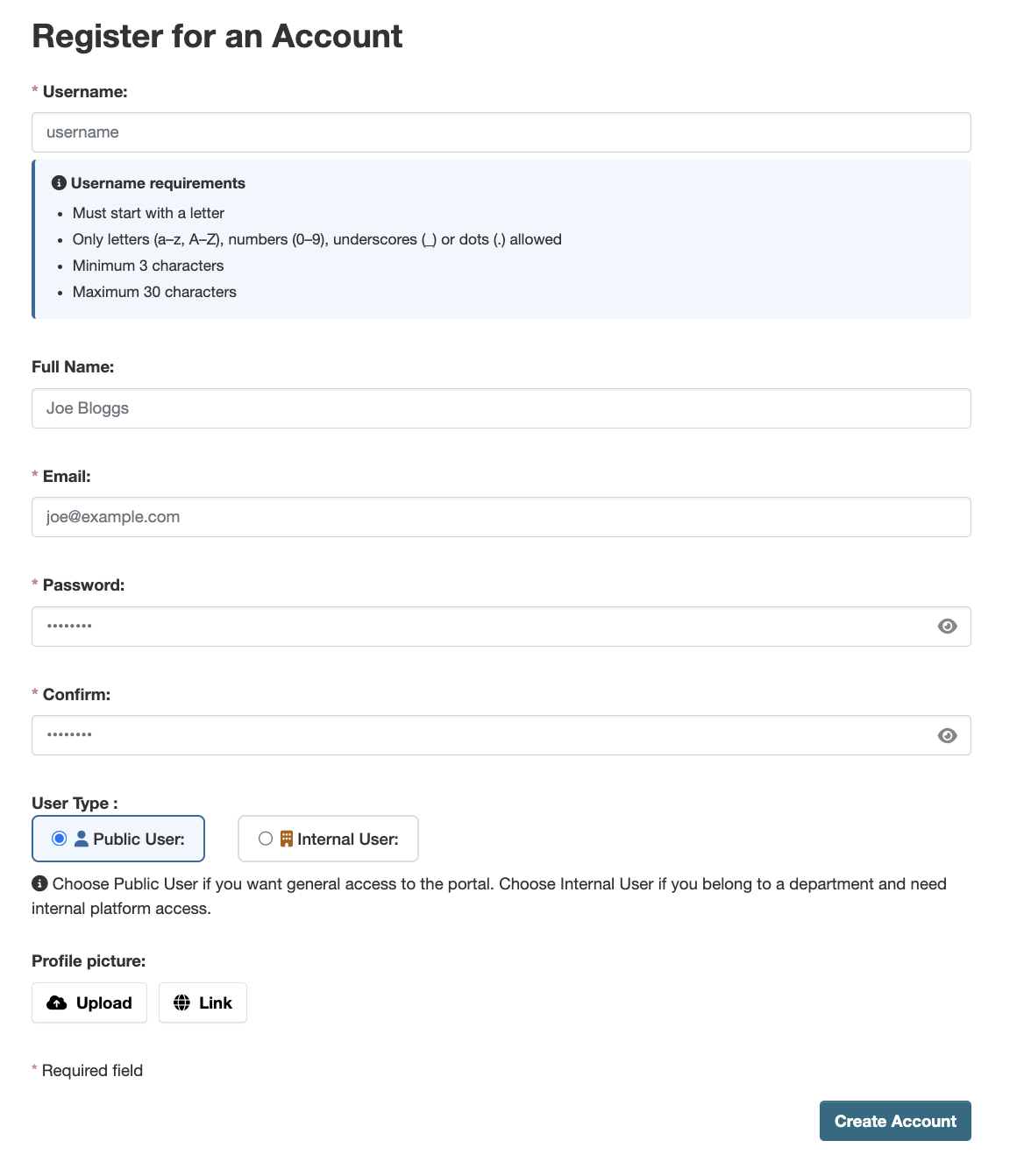
Fill in the required details on the registration form:
- Username — must start with a letter and may only contain letters (a–z, A–Z), numbers (0–9), underscores (_), or dots (.). Minimum 3 characters, maximum 30 characters.
- Full Name — your display name (optional).
- Email — a valid email address you have access to.
- Password and Confirm — enter and confirm your chosen password.
-
Select your User Type:
- Public User — choose this for general access to the portal. You will be able to browse and download publicly available datasets.
- Internal User — choose this if you belong to a department and need internal platform access. Selecting this will reveal a Choose Department dropdown where you can select one or more departments. A membership request will be sent to each department administrator for approval.
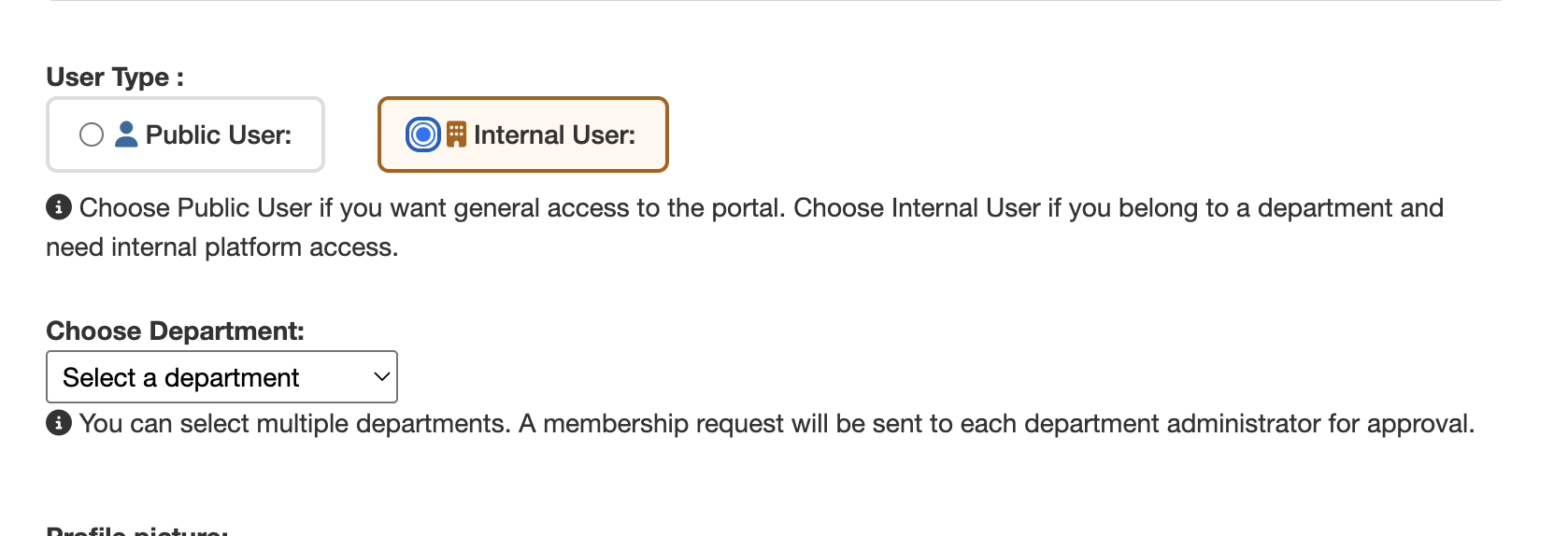
Not sure which to choose? Select Public User if you only need general portal access. Select Internal User if you are a staff member or department representative who requires access to internal datasets. - Optionally, upload a Profile Picture using the Upload or Link option.
-
Click Create Account to submit the form.
A success message will appear confirming your registration and reminding you to verify your email before logging in.

Important: You will not be able to log in until your email address has been verified. If you do not see the email within a few minutes, please check your spam or junk folder. -
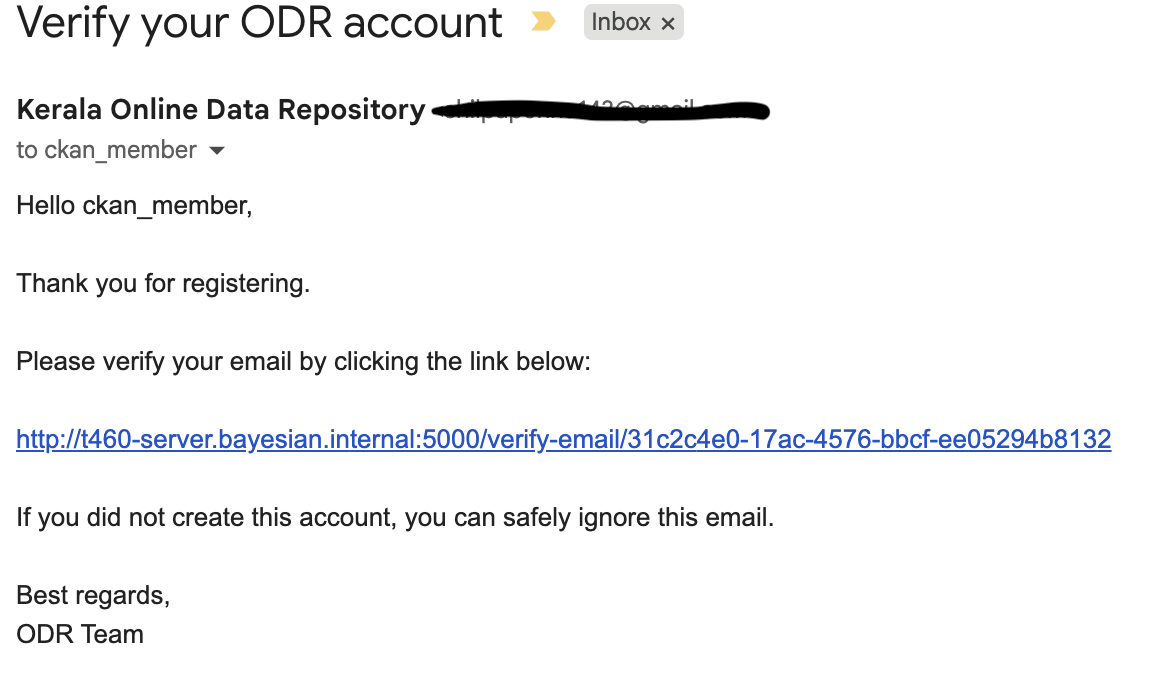
After submitting, you will receive a verification email from
Kerala Online Data Repository at the address you provided.
Open the email and click the verification link to activate your account.
Logging In
Once your email is verified, you can log in using your credentials.
-
Click the Log In button on the homepage.
-
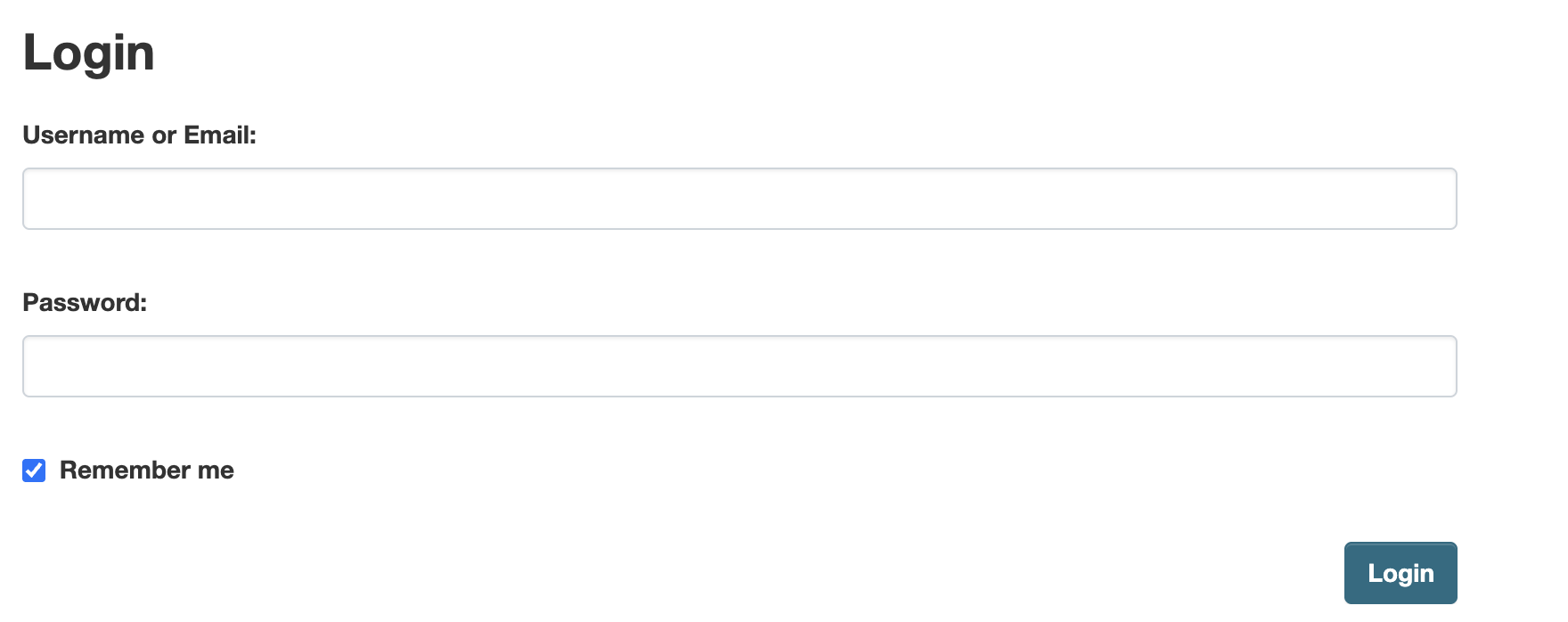
Enter your registered Username (or Email) and Password.
-
Click Log In to access your account.
After logging in, a Registration Successful notice will appear summarising your access level:
- Public User — you can access the portal right away.
- Internal User — your department request is pending admin approval. You can still access the portal as a Public User in the meantime.
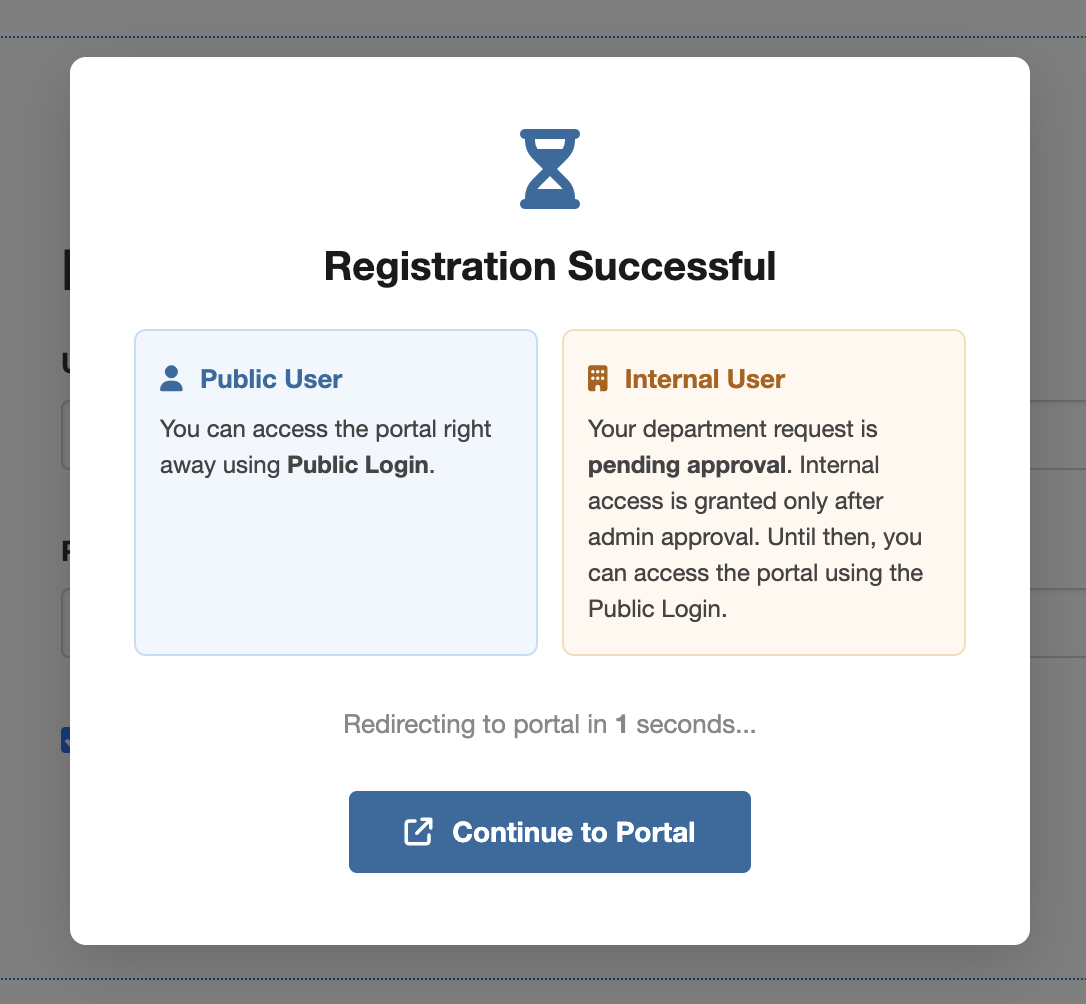
You will be automatically redirected to the portal in a few seconds, or you can click Continue to Portal immediately.
Once logged in, users can:
- Request access to private datasets
- Follow departments
- Download restricted datasets (if approved)
- Manage their profile information
Forgot Password
If you forget your password:
-
Click the Forgot Password link on the login page.
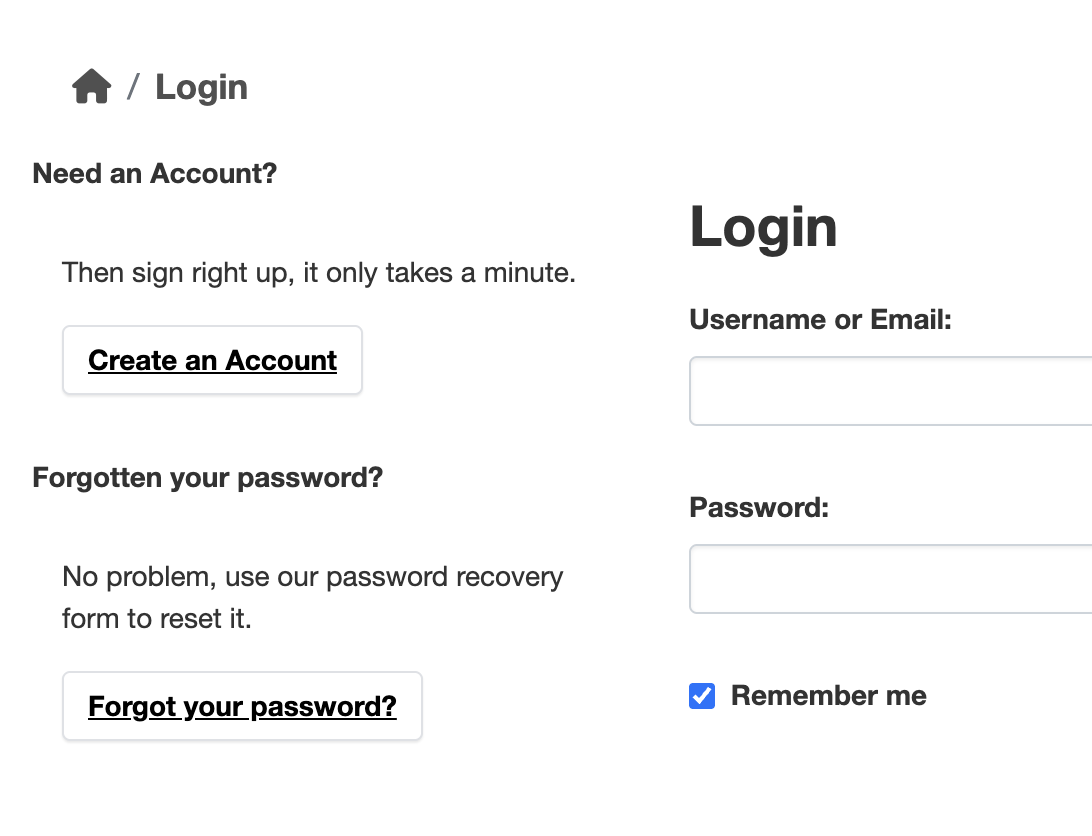
- Enter your registered email address.
- Follow the password reset instructions sent to your email.
For further assistance, contact the platform administrator.