Data Access Restriction
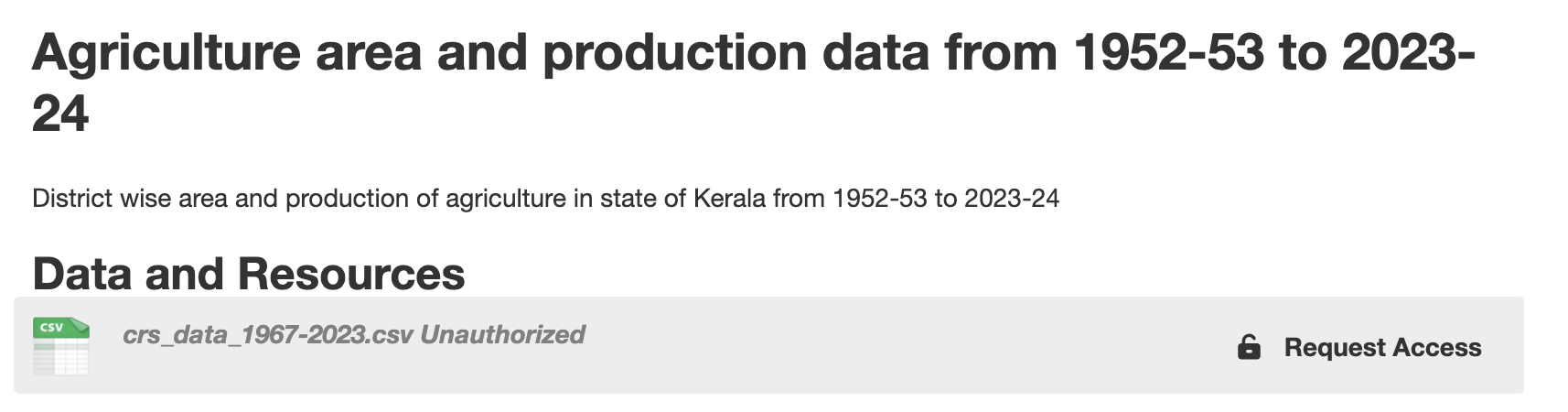
The platform allows dataset resources to be restricted while keeping the dataset metadata publicly visible. This ensures transparency of information while controlling access to the actual data files.
Access restriction levels can be configured individually for each resource within a dataset.
1. Resource-Level Restriction
Dataset metadata (title, description, tags, etc.) remains visible to users. However, the resource (data file) itself can be restricted based on the selected access level.
- Only authorized users can download restricted resources.
- Unauthorized users can view metadata but cannot access the data file.
- Each resource can have a different restriction level.
Screenshot: Dataset View with Restricted Resource
2. Configuring Access Restriction
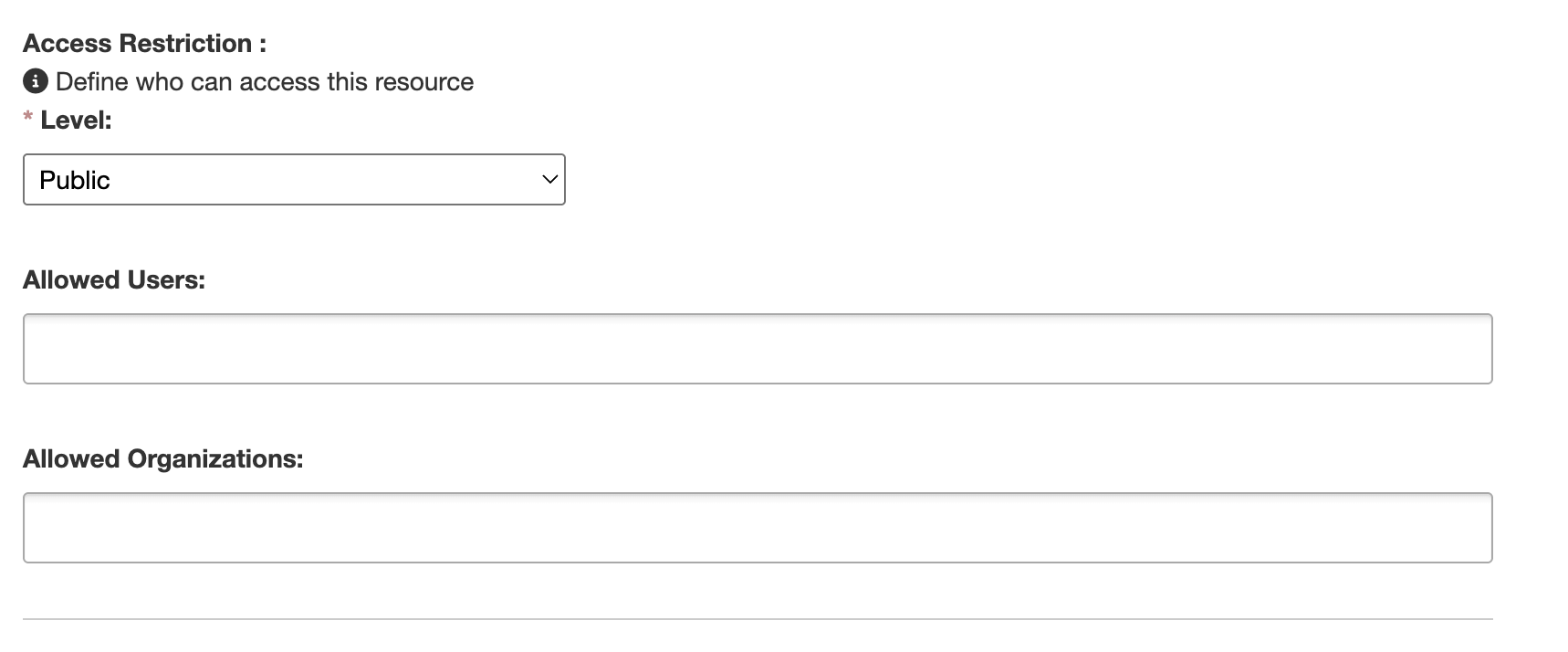
When adding or editing a resource, users with appropriate permissions can:
- Select an access restriction level.
- Allow specific users to access the resource.
- Allow specific organizations to access the resource.
Only dataset editors or administrators can configure restriction settings.
Certain restricted fields (except the access level) are hidden from users who do not have edit permissions. This ensures that sensitive configuration information is not exposed.
Screenshot: Resource Metadata with Restriction Configuration
3. Requesting Access
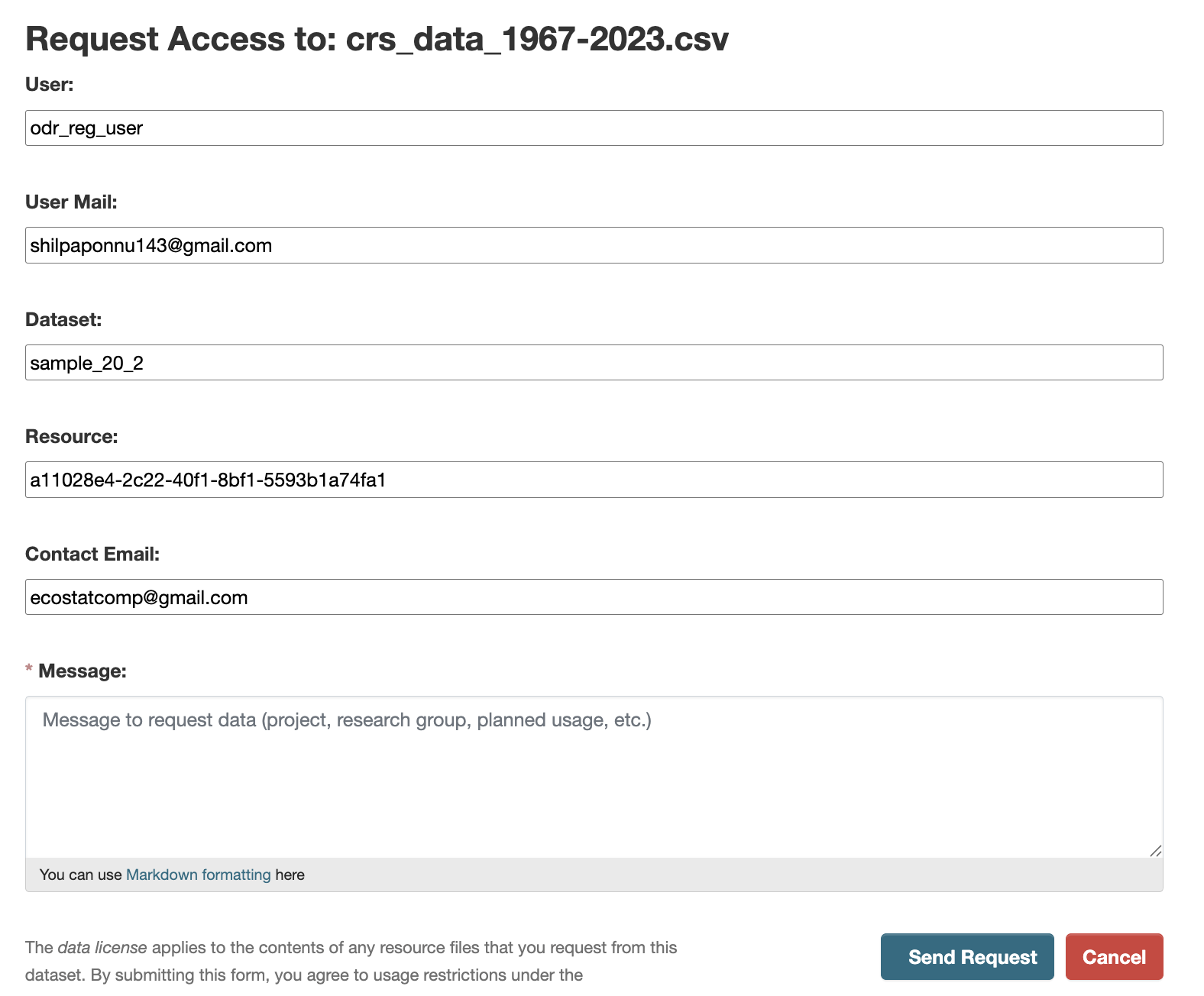
Users who do not have access to a restricted resource can request access directly from the dataset page.
- Click the Request Access button.
- Fill out the request form.
- Submit the request for review.
The dataset owner or authorized editor can review and approve individual access requests.
Once approved:
- The user gains access to the restricted resource.
- The user is notified via email.
Screenshot: Access Request Form
4. Notifications
The system supports email notifications for:
- New access requests.
- Approval of access requests.
5. Privacy and Security
To protect user privacy and sensitive information:
- Restricted configuration fields are hidden from non-editors.
- Allowed usernames may be partially masked for non-authorized users.
- Only users with edit permissions can view complete restriction details.
This ensures that sensitive data access configurations remain secure while maintaining transparency of dataset metadata.