Dataset Approval Workflow – Step-by-Step Guide
The platform uses a structured approval workflow to ensure that datasets are reviewed and validated before becoming publicly accessible. This process helps maintain data quality, accuracy, and governance across the system.
Dataset Approval Flow
The approval workflow consists of three main stages: requesting approval, administrative review, and activity tracking. Each stage ensures that datasets are properly validated before publication.
1. Request Approval
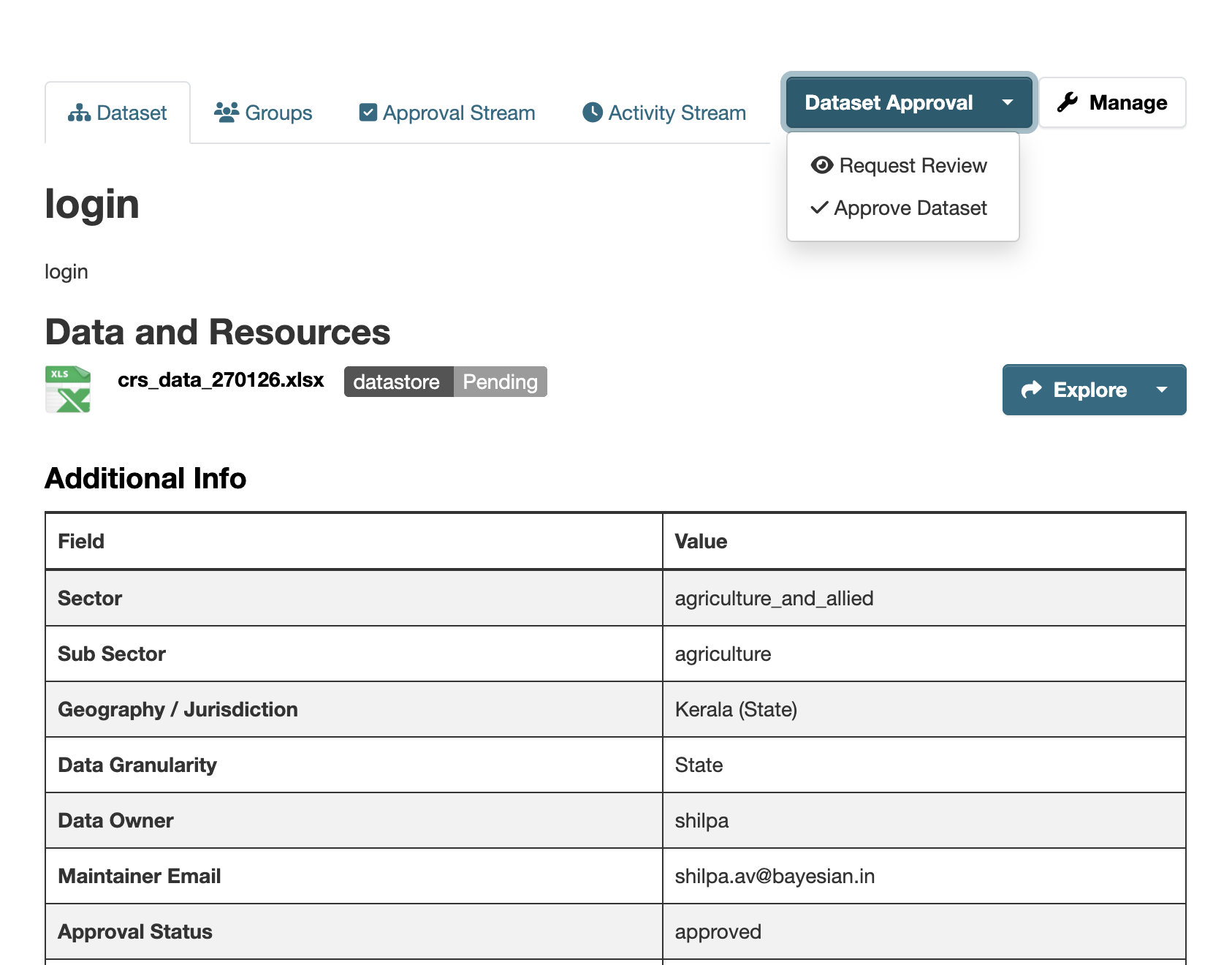
After creating or editing a dataset, users with appropriate permissions can submit it for review by clicking the Request Review button.
Once this action is performed:
- The dataset status is set to Pending Approval
- The dataset remains private and is not visible to the public
This step ensures that no dataset is published without proper validation and authorization.
Screenshot: Request Review Button
2. Approval Form
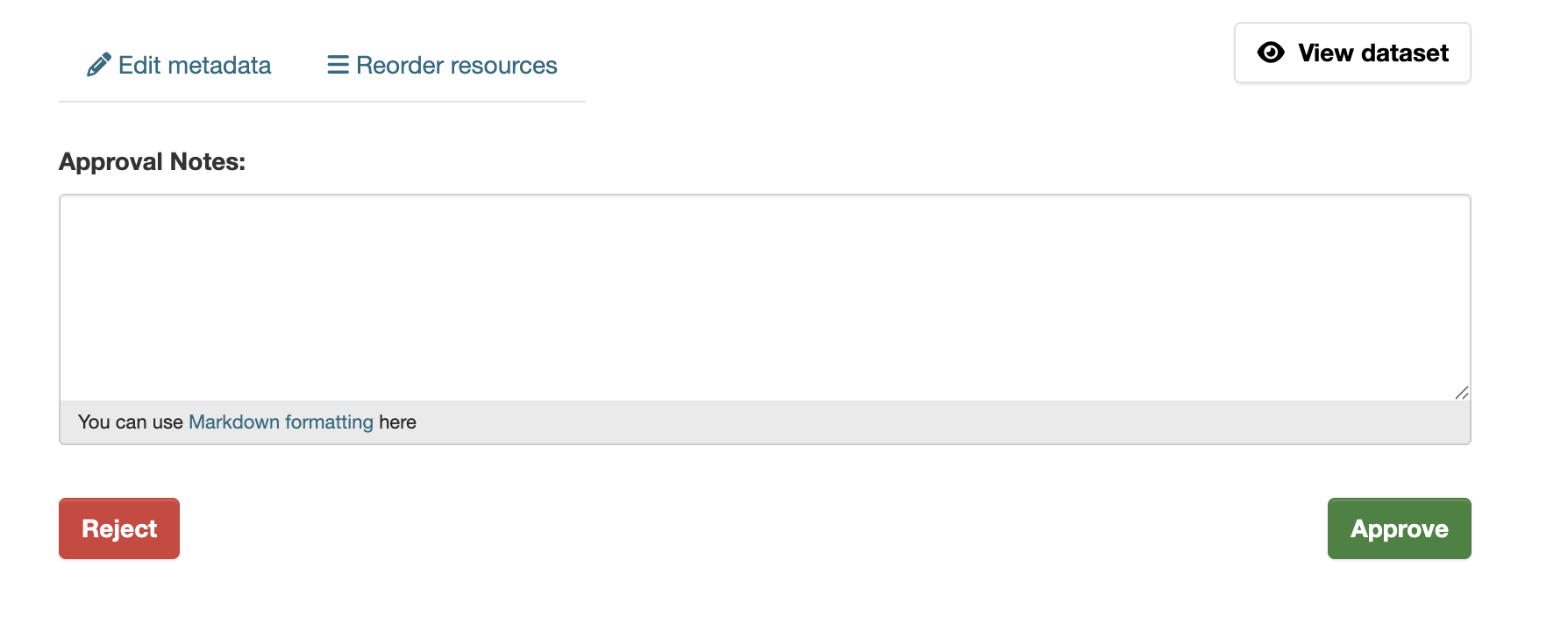
Organization administrators or system administrators can review datasets that are pending approval. By accessing the dataset, they are presented with an approval interface.
The approval form allows administrators to:
- Approve the dataset, making it publicly visible
- Reject the dataset, keeping it private
- Add optional comments or feedback for the dataset creator
This step ensures that datasets meet required standards, policies, and data quality checks before being published.
Screenshot: Approval Form
3. Approval Stream Logging
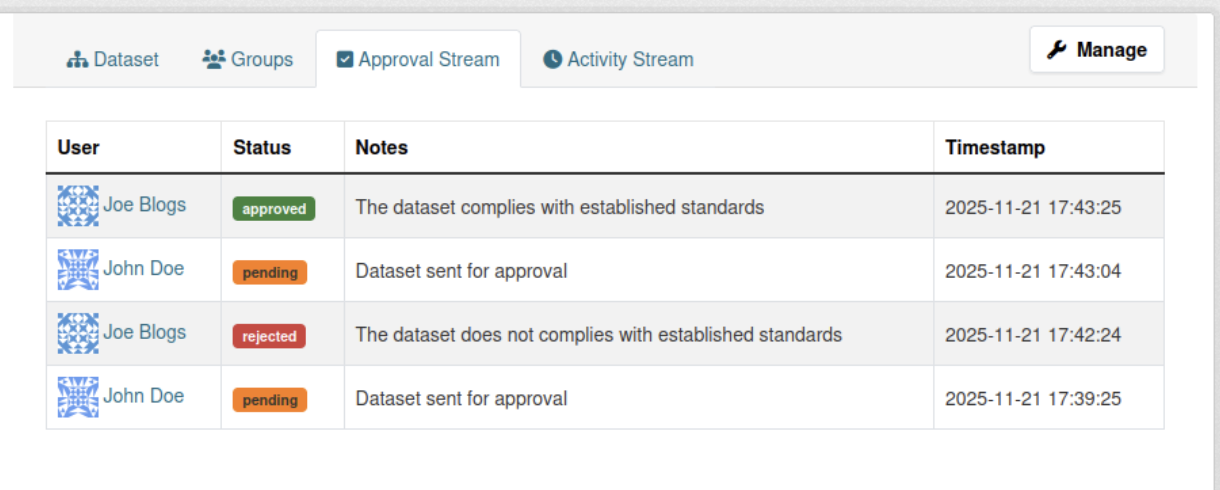
Every action taken during the approval process is automatically recorded in the Approval Activity Stream. This provides full transparency and traceability of all review actions.
The activity stream captures:
- The user who performed the action (approve/reject)
- The exact date and time of the action
- The decision (approved or rejected)
- Any review comments provided by the administrator
This audit trail helps organizations maintain accountability and monitor dataset lifecycle changes.
Screenshot: Approval Activity Stream
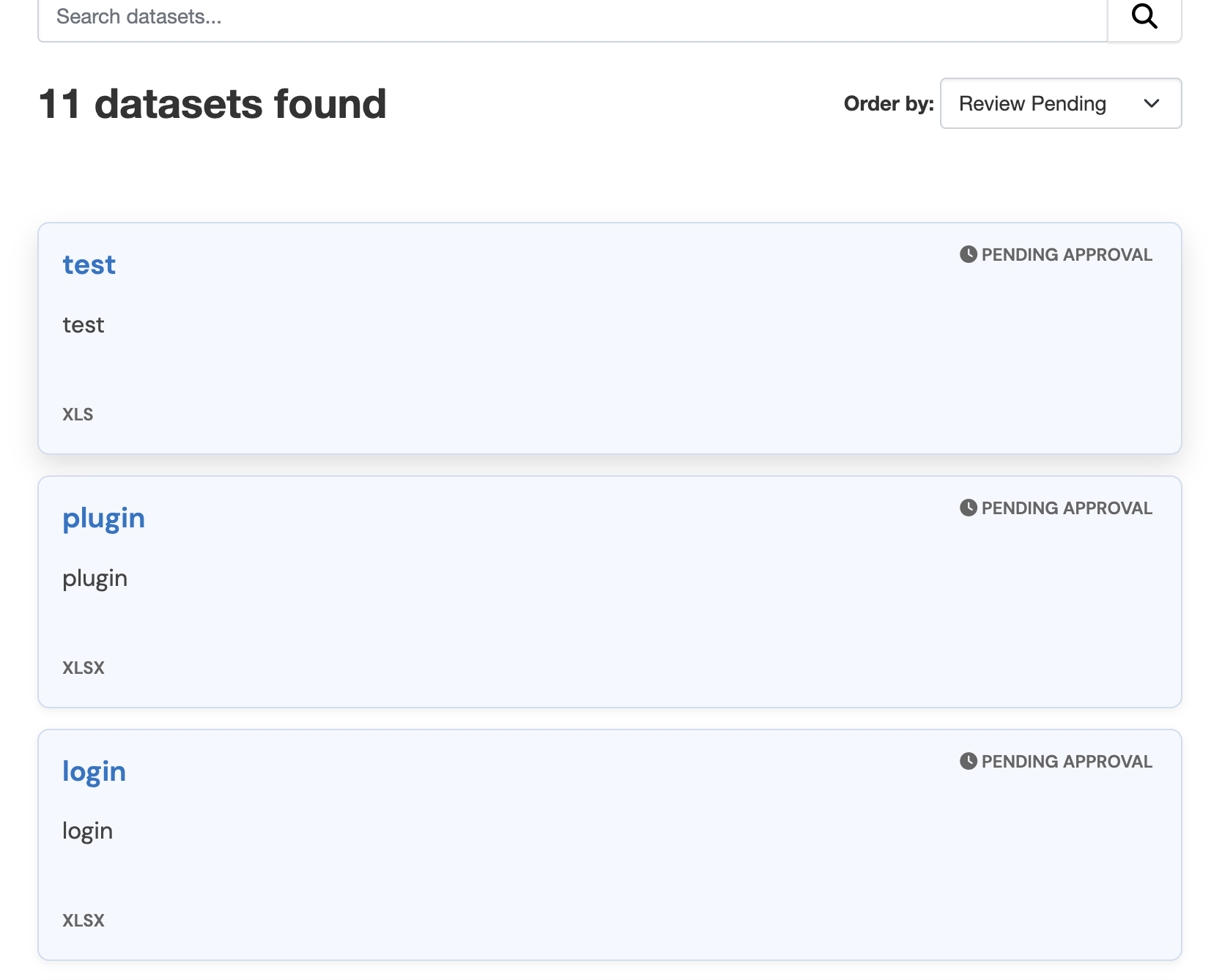
Search and Filter
Datasets that are Pending Approval or Rejected can be easily located using the standard dataset search interface.
To filter datasets by approval status:
- Navigate to the dataset search page
- Use the Order By dropdown menu
- Select either Pending or Rejected
This feature allows administrators and users to quickly identify datasets that require action or have been previously reviewed.
Screenshot: Search and Filter by Approval Status