Departments
Department is a way to group and manage datasets under a single entity (i.e., a government department such as the Department of Economics & Statistics, General Education Department, etc.). Each dataset is owned by one department. A department includes designated users who can modify its datasets and create new ones. Different levels of access privileges can be assigned to users within a department. For example, some users may be allowed to edit datasets but not create new ones, while others may create datasets but not publish them. Each department has its own home page where users can find information about the department and search within its datasets. This structure enables different departments and bodies to manage and control their own data publishing policies.
Steps to Create a Department
-
Login to the Portal
Login using your authorised credentials.
-
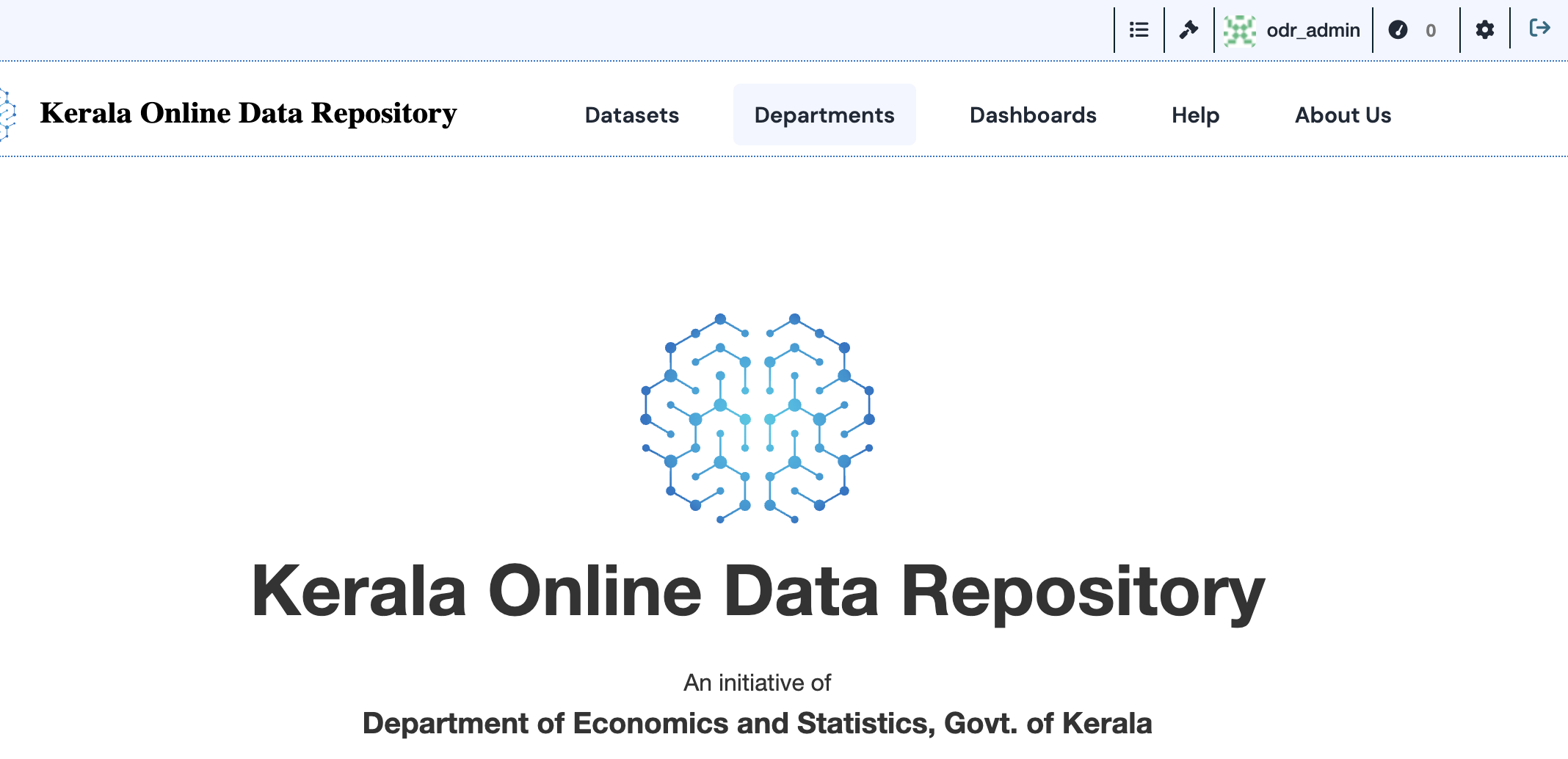
Go to Departments Section
Navigate to the Departments tab from the main menu.
-
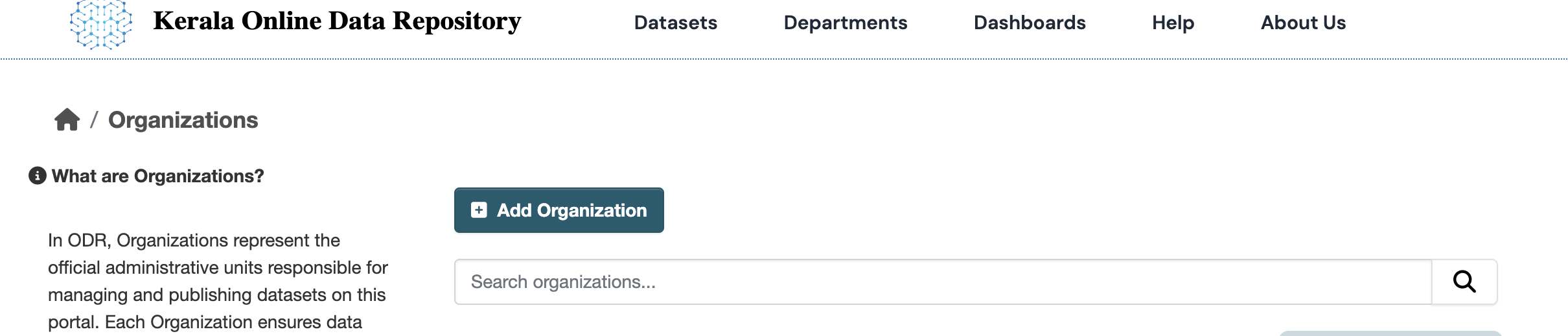
Click on “Add Organization”
Click the Add Organization button.
-
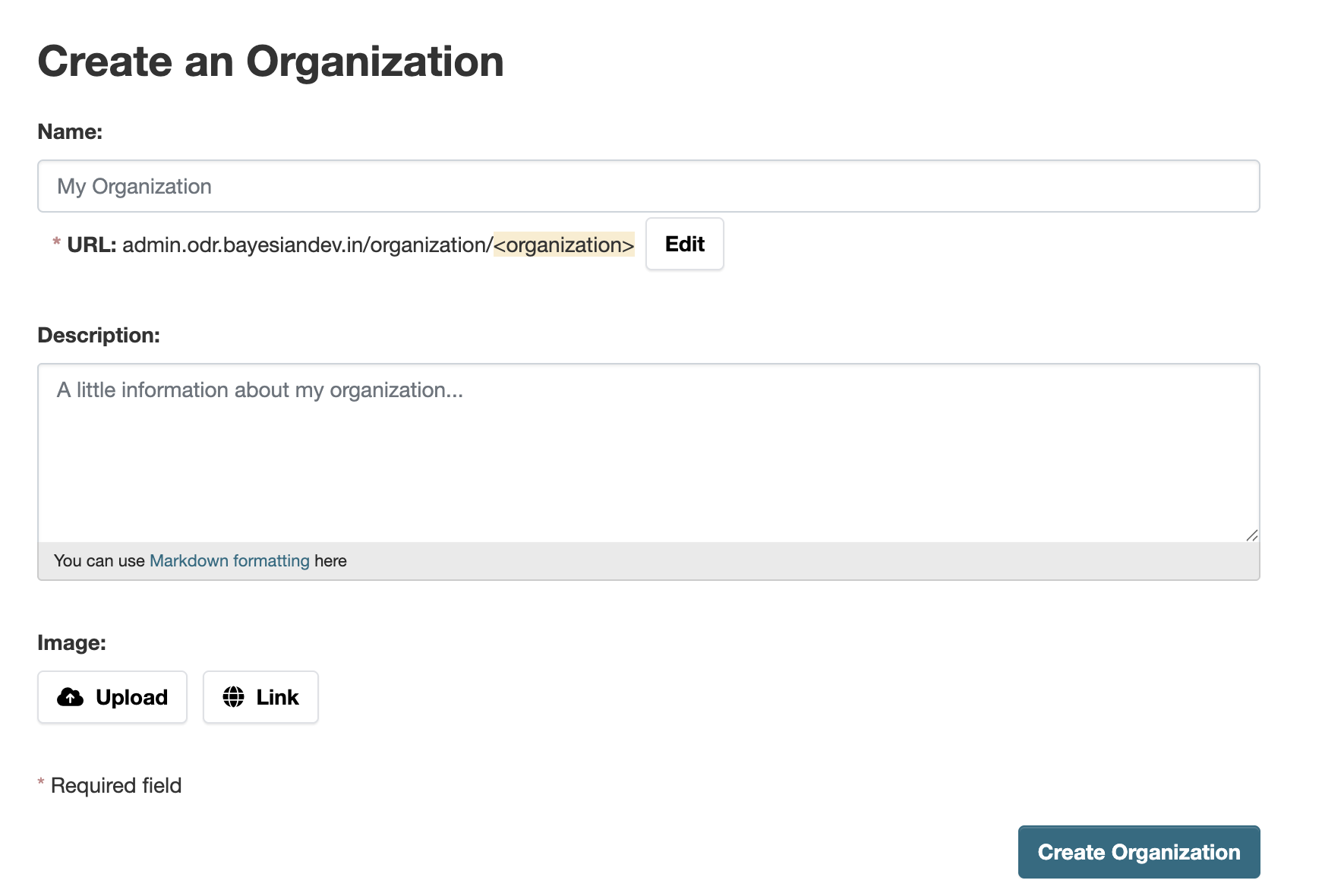
Enter Department Details
Fill in required information such as:- Organization Name
- Description
- Image (if applicable)
-
Select the “Create Organization” button. ODR creates your organization and displays its home page. Initially, of course, the organization has no datasets.
After entering all details, click Create Organization to create the organization.